eighty32 SwitchBox
The show network, in your hand.
SwitchBox turns your iPhone into the control surface for the show network. Discover and manage your Netgear and Cisco switches over plain SNMP — see every port like the console, power-cycle a frozen AP with one tap, and let the Network Doctor give you a pre-show go/no-go on PTP, multicast and PoE.
No special hardware. Plug your iPhone into the show LAN with any off-the-shelf USB-C → Ethernet adapter (or hop on the management Wi-Fi) and you're managing switches in seconds.
Netgear + Cisco · iPhone · iOS 17+ · Now on the App Store

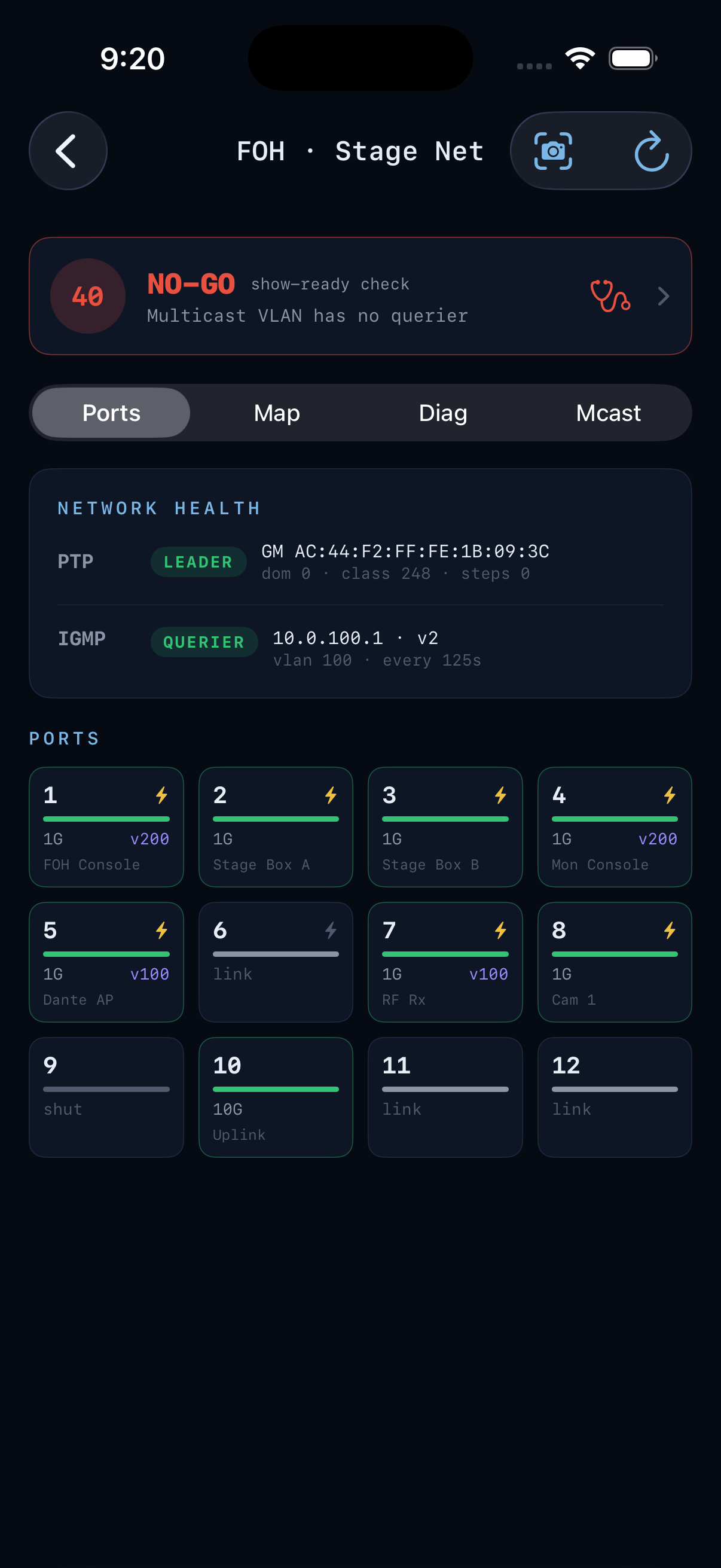
Auto-discovers managed switches on the LAN. Every port like the console — link, speed, PoE, VLAN, labels — with one-tap PoE power-cycle, port shut/enable and VLAN.
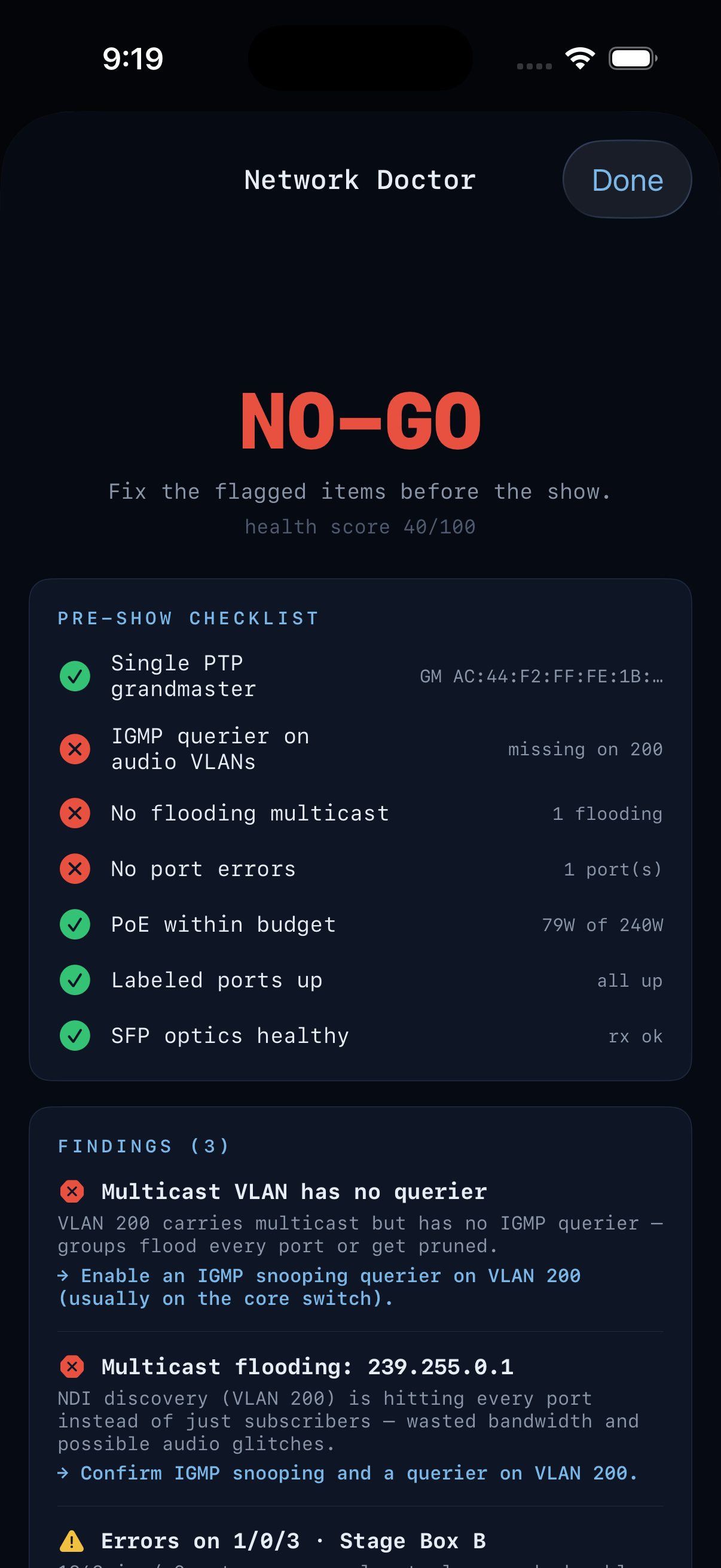
A pre-show GO / NO-GO verdict that reads PTP, IGMP querier, multicast, errors and PoE — then tells you what's wrong and how to fix it, in tech English.
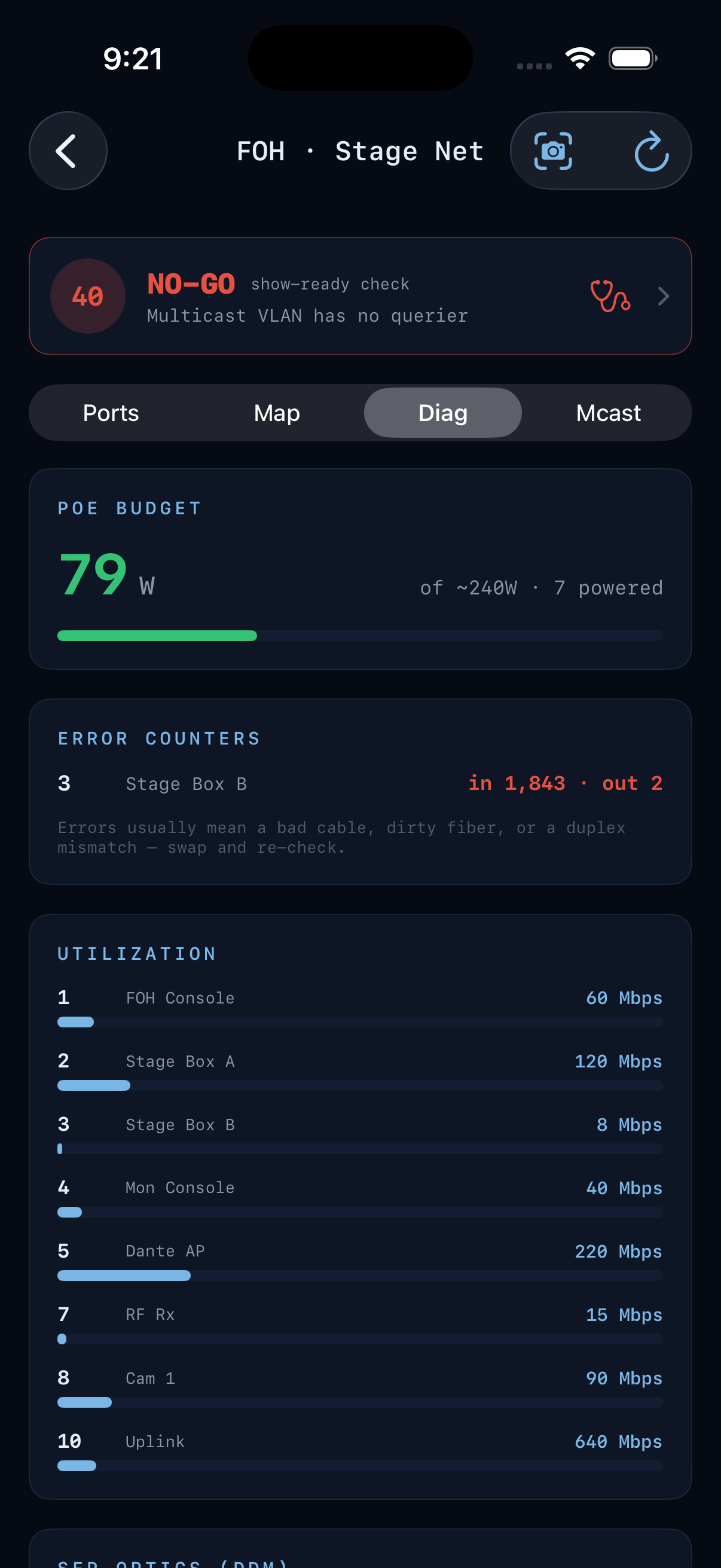
PTP grandmaster and IGMP querier health, an LLDP topology map with your Dante/NDI devices, per-port utilization, error counters and SFP optic levels.